


Running a small business is demanding. Between handling inventory, answering customer emails, managing finances, and delivering services, you also have to keep your website alive and attractive. For millions of business owners, that website runs on WordPress.
WordPress powers over forty percent of the web for good reason: it gives you total ownership of your digital home. However, it can also feel like owning an old sports car. When it runs smoothly, it is magnificent. When something goes wrong, or when you need to write fresh articles and update your pages, it suddenly feels like an intimidating chore requiring specialized mechanical skills.
This is where artificial intelligence changes the rules of the game. Tools like ChatGPT from OpenAI and Claude from Anthropic are not science-fiction robots here to replace human creativity. Instead, think of them as eager, exceptionally fast, and endlessly patient virtual assistants sitting right at your desk.
When you incorporate these tools into your daily workflow, you build an efficient, cost-effective digital strategy that saves you dozens of hours every month. You do not need to write a single line of computer code, nor do you need a computer science degree. All you need is the ability to ask clear questions in everyday plain language.
This guide will show you exactly how to manage, polish, and grow your WordPress website using ChatGPT and Claude, turning technical headaches into easy business wins.
—
What Is a Digital Strategy and Why Does It Matter for WordPress?
Before opening ChatGPT or Claude, we need to understand the big picture. Many business owners make the mistake of buying AI tools and firing random requests at them without a plan. That is like going to a grocery store without a shopping list when you are hungry; you end up with a cart full of snacks and nothing to make for dinner.
A digital strategy is simply your master plan for how your online presence brings real-world value to your business. It connects your website, your content, your marketing messages, and your customer support into a single, cohesive engine that produces income and trust.
When you manage WordPress, your digital strategy focuses on three core pillars:
1. Visibility: Helping potential buyers find you on search engines like Google.
2. Clarity: Explaining your products and services so simply that visitors immediately understand why they should choose you.
3. Reliability: Keeping your website fast, clean, working properly, and updated so customers feel safe doing business with you.
Artificial intelligence does not replace your strategy. Rather, AI executes the time-consuming tasks within that strategy. By pairing your business wisdom with the speed of ChatGPT or Claude, you can compete with enterprise competitors on a modest small-business budget.
—
Meet Your New Assistants: Understanding ChatGPT and Claude
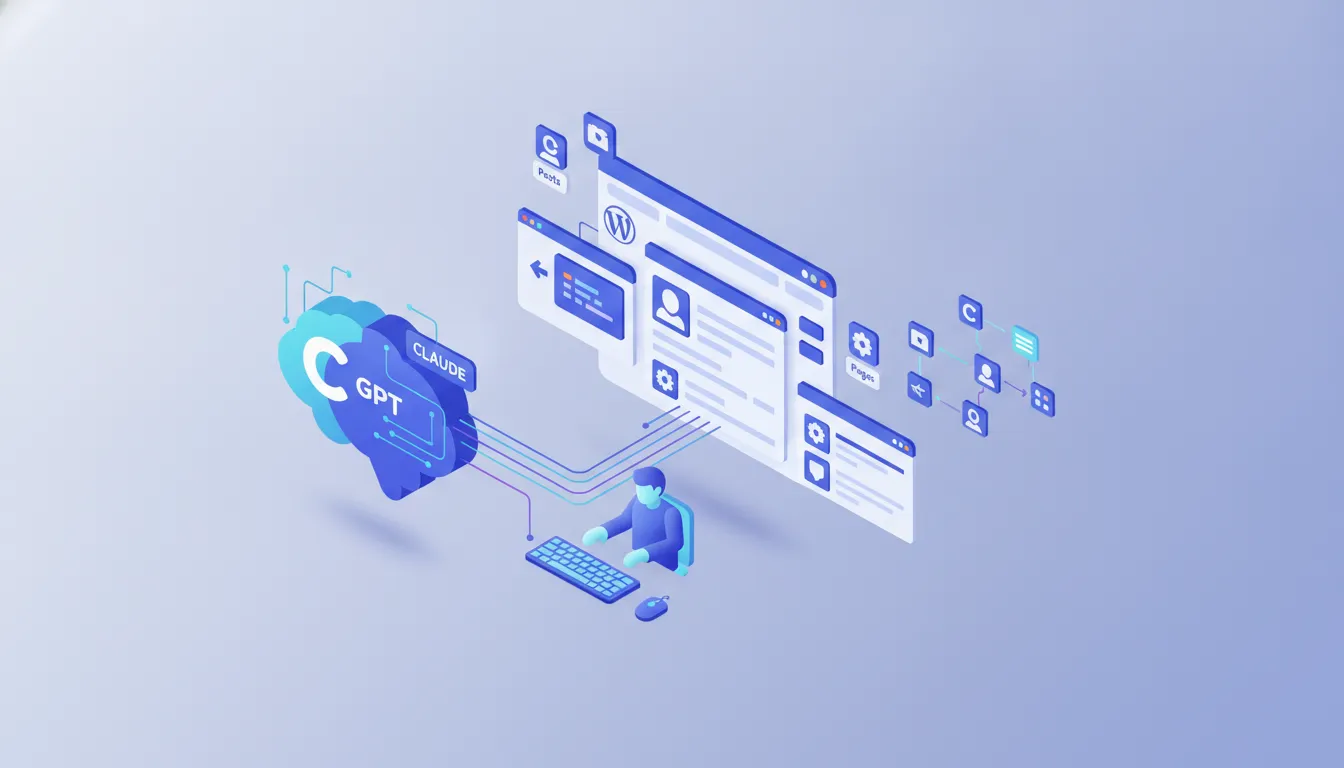
To get the best results, you must understand the strengths of the two leading conversational AI assistants. Think of them as two different contractors you might hire to help manage your digital shop.
ChatGPT: The Swiss Army Knife
Developed by OpenAI, ChatGPT is like a hyper-versatile general contractor. It is exceptional at following direct instructions, organizing information into structured outlines, brainstorming ideas, and troubleshooting common site problems. If you need a checklist for updating plugins, a fast outline for a promotional page, or ideas for a new campaign, ChatGPT is ready within seconds.
Claude: The Thoughtful Writer and Editor
Created by Anthropic, Claude is like an articulate, thoughtful copywriter who holds a master’s degree in literature. Claude excels at nuance, warmth, and natural human tone. If you paste a dry draft of an “About Us” page and ask Claude to make it sound welcoming and humble, the result often requires far less editing than drafts produced by other tools. Claude also possesses a massive reading capacity, meaning you can paste an entire thirty-page product manual into it and ask it to summarize the details for a short WordPress FAQ section.
You do not have to choose just one. Many smart site owners use ChatGPT to brainstorm structures and tackle technical questions, while using Claude to write friendly, persuasive customer-facing text.
—
Pillar 1: Creating and Polishing Content for Your WordPress Site
The most time-consuming part of running any WordPress website is feeding it fresh, helpful words. An outdated website looks like an abandoned shop with dusty windows. AI helps you clean those windows every week.
1. Brainstorming Topics That Your Customers Actually Search For
Stop guessing what to write about. Your customers are asking specific questions every day before they make a purchase. ChatGPT and Claude can uncover those questions instantly.
Try asking your AI assistant:
> *”I run a local plumbing business in Denver. What are the ten most common, urgent questions homeowners ask when their water heater stops working in the winter?”*
Within moments, you have ten blog post topics. Each of these topics addresses a specific customer pain point.
2. Crafting Catchy Headlines
Your headline is the digital storefront sign. If the sign is boring, nobody walks through the door. Once you have a topic, you can run automated headline experiments. For instance, looking into Ai-created headlines: boost your clicks with automated news titles reveals how small shifts in wording dramatically increase your click rates.
Ask Claude:
> *”Give me ten headline variations for a blog post about fixing a leaky kitchen pipe. Five should focus on saving money, and five should focus on avoiding emergency water damage.”*
3. Drafting Clear, Friendly Blog Articles
Never ask AI to “write a 1,000-word article about plumbing” and publish it blindly. Raw AI content can feel generic or slightly detached. Instead, treat the AI like a ghostwriter working under your direct supervision.
* Step 1: Ask the AI for an outline.
* Step 2: Review the outline and delete points that feel unnecessary. Add personal anecdotes or tips unique to your business.
* Step 3: Have the AI draft the article section by section.
* Step 4: Read the draft aloud. Edit sentences that do not sound like your voice.
This collaborative approach delivers Ai-powered content magic: instantly boost your website’s visibility with automated copywriting wizards, ensuring your real-world experience shines through while eliminating the terror of staring at a blank screen.
4. Updating Stale Content
Search engines love fresh, accurate information. If you have older posts on your WordPress site written years ago, copy the text, paste it into Claude, and say:
> *”Here is an article from my website written in 2021. Review it, point out outdated assumptions, and rewrite it so the advice is current, actionable, and warm for a modern reader.”*
—
Pillar 2: Mastering Search Engine Optimization (SEO) Without Jargon
Search Engine Optimization (SEO) sounds scary, but it simply means making it easy for search engines like Google to understand what your website is about so they can recommend it to searchers. Google sets clear benchmarks in their Google Search Central guidelines for helpful content, emphasizing that your site must provide people-first, reliable information.
Here is how you can use AI to handle your everyday WordPress SEO chores.
Crafting Snippets and Meta Descriptions
When your site appears on Google, users see a blue title and a short two-sentence description underneath. That short description is called a “meta description.” It acts as a mini-billboard.
Writing compelling meta descriptions for fifty different pages is tedious. AI does it in seconds. Utilizing strategies from Ai-crafted meta descriptors: the secret sauce for instant visibility boost ensures that each page has an enticing hook that encourages searchers to click through.
Prompt ChatGPT:
> *”Here is the text from my service page about commercial carpet cleaning. Write a two-sentence summary under 155 characters that invites the reader to request a free quote today.”*
Keyword Placement and Topic Coverage
Search engines don’t just count how many times you repeat a specific word. They look at the full context of the subject. Exploring Ai-powered seo: automating keyword optimization for maximum visibility helps you see how related words and subtopics build search authority.
Ask Claude:
> *”I am writing a guide on how to prune rose bushes for beginners. What related terms, tools, seasonal steps, and safety precautions must I include so this guide answers every basic question a beginner might have?”*
Claude will list pruning shears, dormant season, clean cuts, disease prevention, and garden gloves. By including these natural elements, you build genuine authority.
Understanding the Rules of Search Engines
Many business owners worry that using AI to help build website content will get them penalized by search engines. The conversation surrounding this is lively, as seen when Google’s Ai Policy Shift Sparks Debate over how algorithms evaluate automated writing.
The rule of thumb is straightforward: Google does not punish content simply because AI assisted in drafting it. Google punishes low-quality, spammy content that provides zero value to humans. As long as you review, refine, and verify the accuracy of everything you publish, your digital strategy remains solid.
—
Pillar 3: Improving Page Design, Structure, and User Experience
You do not need to hire an expensive designer every time you want to rearrange a page on your WordPress website. Modern WordPress uses the “Block Editor” (often called Gutenberg), which treats every paragraph, image, button, and column as an individual building block.
ChatGPT and Claude can act as your digital interior designers.
Planning Logical Page Layouts
Before you start dragging blocks around your WordPress dashboard, plan the flow of the page. Understanding concepts from Revolutionizing web design: ai-powered layouts that convert visits into sales allows you to structure pages with clear commercial intent.
Ask ChatGPT:
> *”I want to redesign the homepage for my local dog grooming salon. In what order should I display my sections (e.g., hero banner, reviews, pricing, booking form) to build instant trust with anxious pet owners?”*
ChatGPT will guide you:
1. Welcome Area: Warm photo of a happy dog and a clear headline.
2. Social Proof: Three glowing customer reviews.
3. Core Services: Clear three-column summary of bathing, trimming, and nail care.
4. Safety Standards: Explaining gentle handling techniques.
5. Call to Action: A bright button leading to the booking calendar.
Formatting Text for Mobile Readers
Most visitors view your website on a smartphone while waiting in line or riding the bus. If they see a giant wall of unbroken text, they will hit the “back” button immediately.
Paste your long paragraphs into Claude and prompt:
> *”Break this 400-word paragraph into short, scannable, two-sentence paragraphs. Add bullet points where appropriate to make it quick to read on a mobile phone.”*
This simple step instantly improves your bounce rate (the percentage of visitors who leave immediately because a page is hard to read).
—
Pillar 4: Maintenance, Plugins, and Troubleshooting Made Simple
The technical side of WordPress causes the most stress for non-technical owners. What is a plugin? Think of a plugin like an app on your smartphone. Your smartphone comes with basic features, but you download apps to add banking, photo editing, or games. WordPress is the phone; plugins are the apps.
However, having too many plugins—or having them clash—can cause your site to slow down or display errors. Here is how AI helps you navigate maintenance without fear.
1. Choosing the Right Plugins
Before installing three different tools to solve one problem, ask ChatGPT for guidance:
> *”I need a WordPress plugin to create a simple contact form that sends an email notification to my inbox. What are three lightweight, beginner-friendly options that do not slow down my website?”*
ChatGPT will evaluate well-known options like WPForms or Fluent Forms, explaining the trade-offs between free and paid tiers in plain terms.
2. Translating Error Messages into Plain English
Nothing causes panic quite like opening your website and seeing:
`500 Internal Server Error` or `Briefly unavailable for scheduled maintenance`.
Instead of panicking, copy the exact wording of the error, paste it into ChatGPT, and ask:
> *”My WordPress site shows this error message: [paste error]. Explain what this means in simple terms as if I were a ten-year-old, and give me three safe steps to check what happened.”*
ChatGPT might explain:
* *”This error usually means your site ran out of memory or a newly updated plugin got stuck while updating. Step 1: Log into your hosting control panel. Step 2: Clear your website cache…”*
By understanding the cause, you avoid costly emergency service calls to developers for minor hiccups.
3. Writing Custom CSS Without Knowing How to Code
CSS (Cascading Style Sheets) is the code that controls colors, fonts, and spacing on a website. You do not need to learn it.
Imagine you have a button in WordPress that you want to turn bright orange with rounded corners, but your theme settings do not offer that option.
Ask Claude:
> *”I want to make a button on my WordPress site have a bright orange background (#FF6600), white text, and gently rounded corners. Write the simple CSS code for this, and tell me step-by-step where to paste it inside the WordPress Customizer.”*
Claude will generate the snippet and instruct you:
1. Go to your WordPress Dashboard.
2. Click Appearance > Customize.
3. Click Additional CSS.
4. Paste the snippet and click Publish.
You achieve a custom design tweak in two minutes flat.
—
Pillar 5: Enhancing Your Workflow Across Industries
No matter what industry your business belongs to, AI integration inside your WordPress routine delivers massive efficiency gains. Looking at How AI is transforming content creation across industries demonstrates that organizations of all shapes and sizes are adapting these exact systems to outpace slower competitors.
Even traditional automotive industries are shifting their focus toward modern tech, as seen when Bmw’s new ix5 puts electric driving at the forefront against chinese rivals, showing that maintaining relevance requires adopting modern automated innovations. Your website requires the exact same forward-thinking mindset.
To keep your digital presence competitive, review this comparison of common WordPress tasks:
| Traditional WordPress Chore | Old Way (Time & Cost) | Modern AI-Assisted Way |
| :— | :— | :— |
| Writing a Weekly Article | 4–6 hours of writing and editing from scratch | 45 minutes: Outline, draft, review, and polish with Claude |
| Creating FAQ Sections | An hour of guessing customer objections | 10 minutes: Paste product text into ChatGPT to generate FAQs |
| Writing Meta Descriptions | 30 minutes of manual character counting | 2 minutes: Generate 10 SEO-compliant descriptions at once |
| Fixing CSS Styling Quirks | Hiring a freelancer for $50–$100 | Free: Ask Claude for the snippet and paste into WordPress |
Adopting this modernized workflow through Revolutionizing your website with ai-powered content optimization techniques frees you from tedious administrative drag, giving you back the hours you need to serve paying clients.
—
What NOT to Do: Safe AI Practices for Site Owners
While ChatGPT and Claude are extraordinary helpers, blindly trusting them can create serious risks for your business reputation. Follow these ground rules to protect your digital asset:
1. Never Share Private Customer Data
Never paste customer names, email addresses, order details, or passwords into ChatGPT or Claude. Treat AI chats as public conversations. Keep your customer privacy absolute.
2. Beware of “Hallucinations”
AI models do not search the internet the way humans do; they predict words based on massive patterns. Occasionally, an AI will confidently state a “fact” that is completely made up (in the tech world, this is called a hallucination). Always fact-check prices, legal requirements, medical claims, and technical instructions before hitting “Publish” on WordPress.
3. Do Not Paste Unchecked PHP Code
PHP is the primary programming language that powers WordPress on the server side. While asking for CSS (styling) is safe, pasting complicated PHP snippets into your site’s core theme files (`functions.php`) can bring down your entire website if a single character is wrong. If Claude or ChatGPT suggests modifying your site’s PHP files, consult a developer or test it first on a private staging site.
4. Retain Your Unique Human Voice
If every small business uses the same default prompts, the internet will become flooded with monotone, robotic prose. Use AI to build the foundation, but always sprinkle your personality, your stories, and your unique brand perspective into the final piece. This is the heart of Ai-crafted content: the future of seo and web design mastery: human experience guiding digital computing speed.
—
Step-by-Step Checklist: Your Weekly 60-Minute WordPress Routine
Here is a practical, step-by-step routine you can follow every week to keep your WordPress site fresh, fast, and visible using your new AI partners.
Minute 0 to 15: Brainstorm and Outline
1. Open ChatGPT or Claude.
2. Tell the AI what customer question came up most often in your business this week.
3. Ask for an outline for an educational 600-word blog post answering that question.
4. Refine the outline by removing any points that do not apply to your local market.
Minute 15 to 35: Draft and Humanize
1. Ask Claude to draft the sections based on your refined outline.
2. Copy the draft into your WordPress editor.
3. Read through the post. Add one personal story or a specific client example that illustrates your experience.
4. Add clear headings (Heading 2 and Heading 3) to break up the topics.
Minute 35 to 45: SEO Polish
1. Ask ChatGPT: *”Based on this post, give me an SEO title under 60 characters and an enticing meta description under 155 characters.”*
2. Paste these into your SEO plugin (like Yoast SEO, Rank Math, or All in One SEO) at the bottom of your WordPress editor.
3. Add a relevant royalty-free or real workplace photo, and ask AI to write a clear “Alt text” description for visually impaired visitors.
Minute 45 to 60: Maintenance & Review
1. Check your WordPress dashboard for pending plugin updates.
2. Run a backup of your site (using an automated backup plugin like UpdraftPlus).
3. Update your plugins one by one.
4. Visit your live homepage in an incognito browser window to make sure everything looks clean and loads quickly.
—
Putting Your Digital Strategy into Motion
Managing a WordPress website does not have to feel like a second full-time job. You do not need to master complex programming or spend countless hours staring at an empty screen wondering what to write next.
By integrating ChatGPT and Claude into your weekly workflow, you transform your WordPress management from an intimidating chore into a fast, manageable routine. You now have an assistant to draft your announcements, a proofreader to check your grammar, a copywriter to craft your headlines, and a patient advisor to help you navigate software updates.
Start small. This week, pick just one lingering task—whether that is writing an updated FAQ section, drafting a single helpful blog post, or rewriting an old service page. Open Claude or ChatGPT, describe what your business does, and let AI carry the heavy load. With a focused digital strategy and these modern assistants by your side, your WordPress website will become the hard-working digital sales engine your business deserves.
Ready to Scale Your Digital Infrastructure?
Don’t let technical bottlenecks stall your growth. Discuss your project around How to Manage Your WordPress Website with ChatGPT or Claude directly with our senior experts at Low Cost Web Agency.